Pair
Put the camera in its pairing menu and Shutter Link finds it over Bluetooth. Nothing else to set up: no Wi-Fi to join, no hotspot, no sign-in.
Your camera’s own remote, on your phone.
Sony, Fujifilm and Canon build a Bluetooth remote into their cameras. Shutter Link is the remote it deserves: shutter, sequences and geotagging from iPhone, iPad and Apple Watch, with no Wi-Fi to join and no account to make.
Free to download and pair. Requires iOS 26 or later; iPad and Apple Watch apps included.
Free to find out
The app is free to download, free to pair, and free to prove it works with the camera in front of you. One purchase unlocks the controls, and it only asks once the app has shown you exactly what that body can do.
Put the camera in its pairing menu and Shutter Link finds it over Bluetooth. Nothing else to set up: no Wi-Fi to join, no hotspot, no sign-in.
The app reads what the connected body can do and draws only those controls. It reads from the connection, not the make, so what you see is what your camera will honour.
Buy Bluetooth Remote once. That unlocks every button, jog, sequence and the position feed, on every make the app supports, now and later.
What it does
A remote release fires the shutter. Shutter Link does that, and then the three things a photographer on a tripod actually wants: a layout that fits the job, sequences that run on their own, and coordinates in the files.
The remote
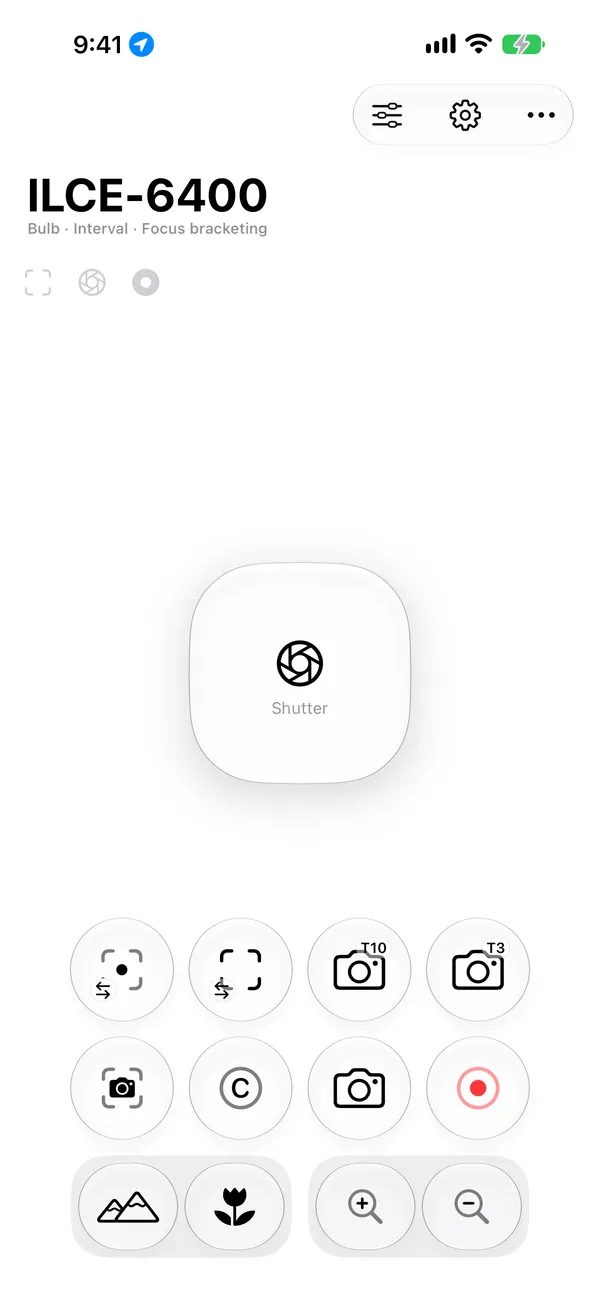
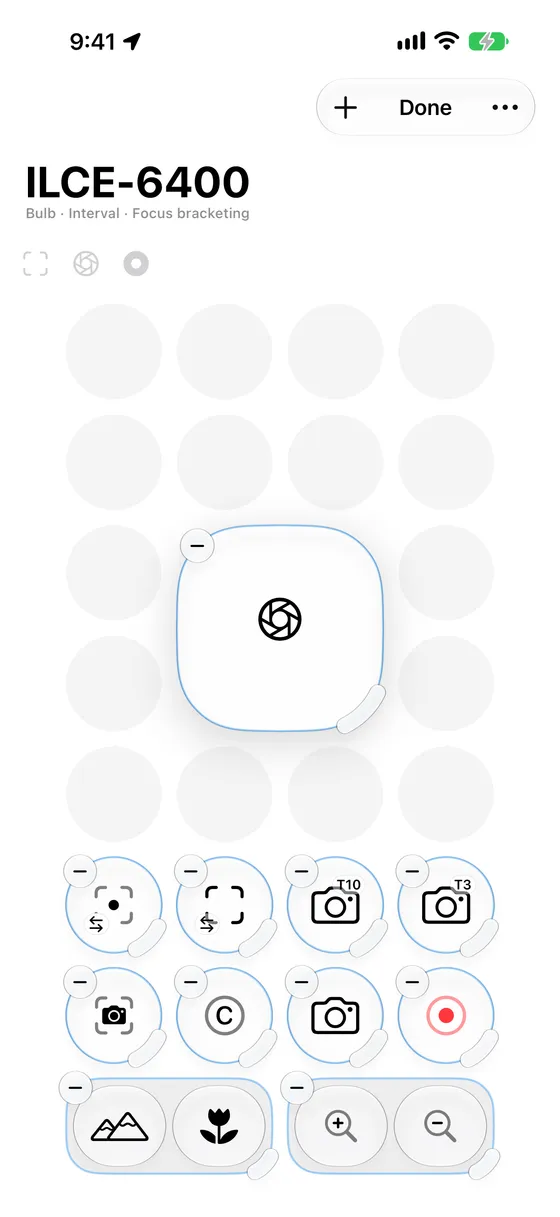
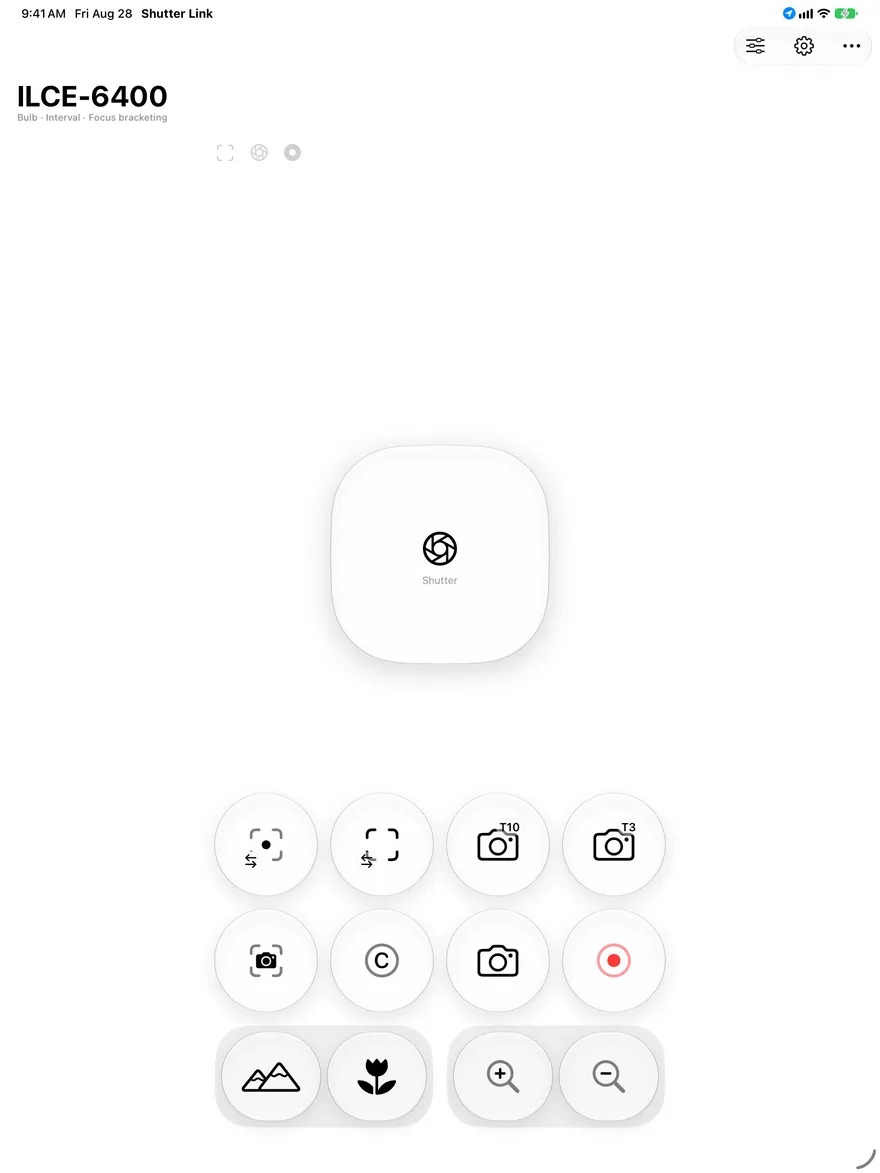
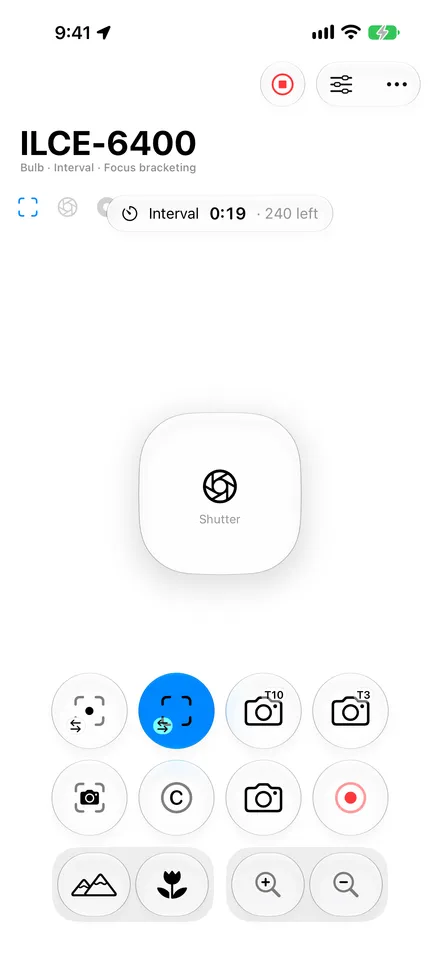
Add, move, resize and remove controls on a grid, the way you rearrange Control Center. Buttons come in three sizes; zoom and focus are two-way pads, so one thumb can work both directions. Upright and sideways layouts are kept separately, and each camera keeps its own.
Shutter, half press, single shot, shoot-on-focus, 3 s and 10 s self timers, AF-ON, C1, video record, power zoom and focus drive, as far as the connected body allows. AF-ON, video, zoom and focus drive are Sony-only today. A control your camera cannot do is dimmed and left where you put it, rather than disappearing and shuffling the rest under your thumb.
Sequences
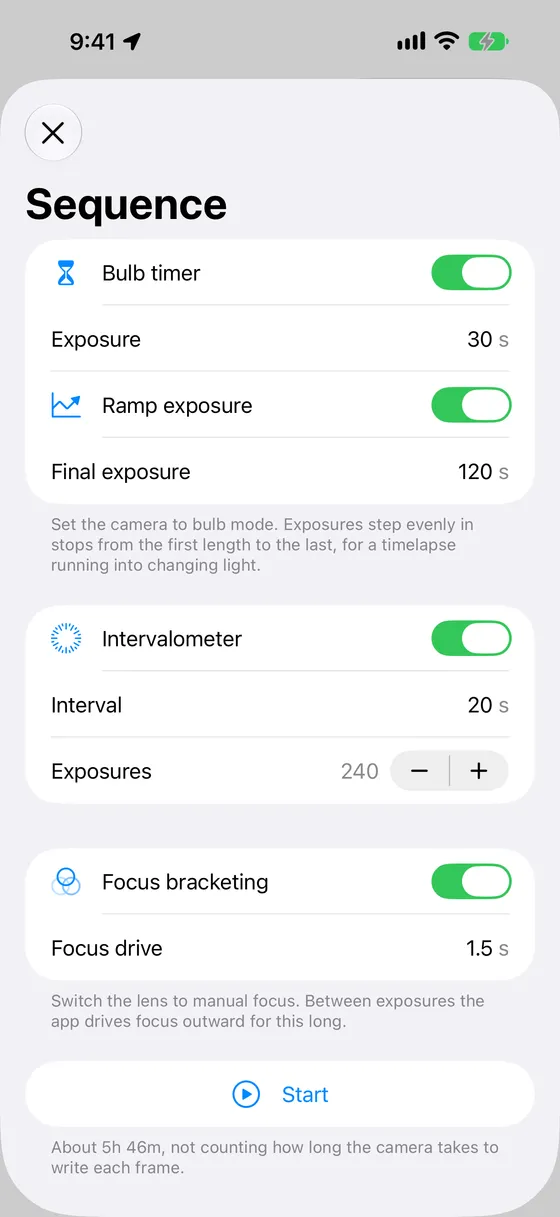
Bulb timer, intervalometer and focus bracketing compose into one run: a ramped bulb timelapse with a focus step between frames is a single sequence, not three features fighting. The exposure ramp walks the bulb length from a start to an end value in even stops, for a timelapse shot into a changing sky, and the app estimates how long the run will take as you set it up.
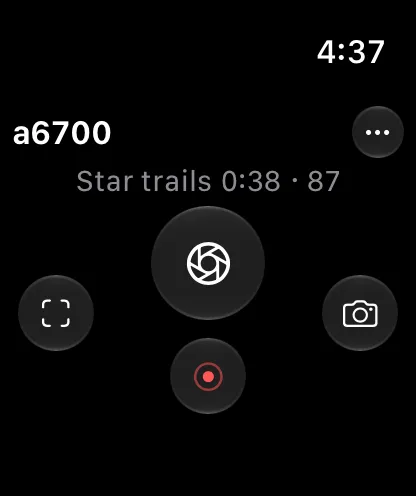
A run keeps firing with the phone in a pocket, and stops from the watch, a shortcut or the Live Activity. The self timers are counted by the app, so they work on bodies that have none of their own over Bluetooth. Bulb and focus bracketing need a Sony body today.
Location
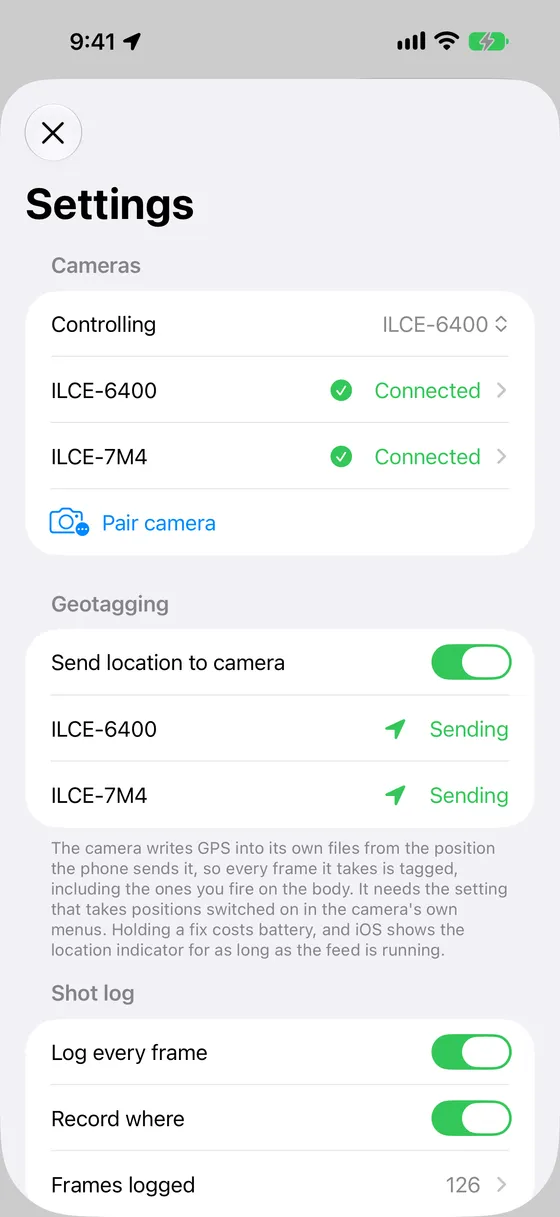
The phone feeds its position to the camera over the maker’s own location service, so the camera writes coordinates into its own files, including the frames you fire on the body that the app never sees. It runs for as long as the camera is connected, not just during a sequence, and it needs the location setting switched on in the camera’s own menus.
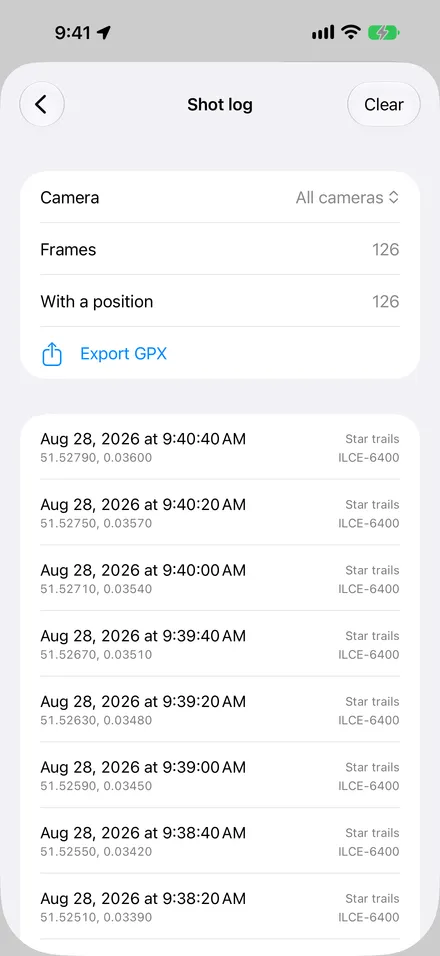
Every frame the app fires also goes into a shot log with its time and place, exportable as a GPX track that Lightroom and Capture One match to photos by capture time. That works on every body, including the ones whose location link cannot run alongside the remote.
iPhone, iPad and Apple Watch
Apple Watch
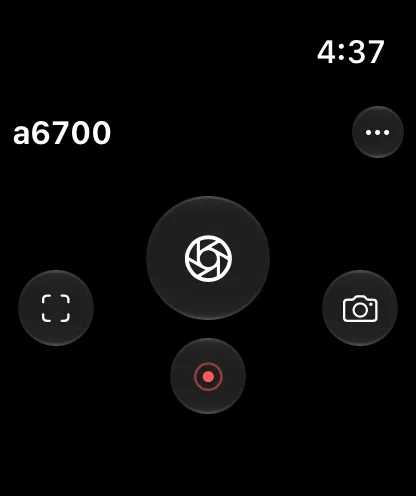
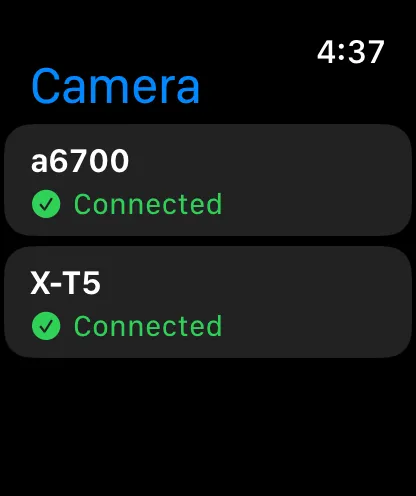
A four-button remote, with the buttons chosen per camera from the phone. It shows the camera’s name, its connection state and a running sequence’s progress, and asks which camera to drive when more than one is connected.
The watch never talks to the camera. The Bluetooth bond belongs to the phone, so every press travels wrist to phone to camera. The phone has to be with you and in range, but it can be in a bag with the screen off, and a press from the wrist will wake the app if it is not running.
iPad
The same remote, sequences and shot log, laid out for the larger screen, with layouts kept per camera and per orientation on the iPad too.
Off the screen
A remote is only useful when it is where you reach for it. Shutter Link is on your wrist, in Control Center, on the Lock Screen, and a sentence away from Siri.
A running sequence appears on the Lock Screen and in the Dynamic Island, one per camera, so a run on one body carries on while you drive the other. Stop it from there without opening the app.
Four actions: Take a Photo, Start Sequence, Stop Sequence, and Start or Stop Recording. A shutter release for Control Center, the Lock Screen or the Action button. “Take a photo with Shutter Link” works out of the box.
Every paired camera stays connected. A switcher on the remote’s title decides which one the buttons, the Control Center tile and an unnamed shortcut drive.
The unlock screen lists what your connected camera can do, not what the make can do at its best, before asking for money. Connect a Fujifilm and you get a shutter, a half press and geotagging, because that is what its protocol carries.
The app takes background Bluetooth and holds the screen awake, so a long intervalometer keeps firing while the phone sits on the tripod leg or in your jacket.
No account, no cloud, no subscription, no analytics. Paired cameras, layouts and the shot log stay on the device. The only network traffic is the App Store’s own purchase check.
Camera support
If it is a Sony, Fujifilm or Canon with Bluetooth remote control in its menus, very likely. Shutter Link recognises a camera by what it broadcasts, not by a list of model numbers, so the honest answer comes from pairing your own body. That part is free, and the app shows you what it can do before asking for anything.
| Capability | Sony | Fujifilm | Canon, paired from “Remote control” | Canon, paired from “Connect to smartphone” |
|---|---|---|---|---|
| Shutter release | Yes | Yes | Yes | Yes |
| Half-press shutter | Yes | Yes | Yes | No |
| Back-button AF (AF-ON) | Yes | No | No | No |
| Custom button (C1) | Yes | No | No | No |
| Video record | Yes | No | No | No |
| Power zoom | Yes | No | No | No |
| Focus drive and bracketing | Yes | No | No | No |
| Bulb timer | Yes | No | No | No |
| Geotagging | Yes, on newer bodies | Yes | No | Yes |
| Camera reports back | Focus, shutter, recording | Nothing | Nothing | Nothing |
Nothing here is a promise about a particular body. Sony geotagging, for instance, appears only once a camera publishes its location service, and older bodies do not. The app reads from the connection in front of it: another body, or this one paired a different way, may offer more or less.
Canon cameras have two Bluetooth modes, and they are two menus on the same body. Which one you pair from decides what you get.
Remote control gives you a shutter with a half press. Connect to smartphone gives you geotagging, but no focus command at all. To change which you get, pair again from the other menu.
On any of these makes, over Bluetooth, there is no way to:
Those are limits of the cameras’ Bluetooth protocols, not of the app. They need Wi-Fi and the maker’s own app.
Pricing
The unlock screen only ever appears once a camera is connected and the app has established what it can do, so you prove compatibility before paying. There is a second route in, under Settings → Purchases, for someone whose camera is at home.
Free
Finding cameras, pairing, connecting, and seeing exactly what the connected camera can do. This part stays free for good.
$6.99one-time purchase
Every button, jog, sequence and the position feed, on every make the app supports, now and later. No subscription, nothing recurring.
What Bluetooth exposes varies enormously between makers: Sony gives a full control set, Fujifilm gives a shutter and geotagging. Charging per make would mean pricing what each maker’s protocol is worth, which is an argument nobody wins. So the purchase is the app’s Bluetooth camera control as a whole, and makes added later are included at no extra cost.
Prices in US dollars; local pricing varies by country. Restore Purchases is on the unlock screen and in Settings.
Questions
If it is a Sony, Fujifilm or Canon with Bluetooth remote control in its menus, very likely, and finding out costs nothing. Download the app, pair the camera, and it will tell you exactly what that body can do before you buy anything.
No. Everything happens over Bluetooth. There is no network to join and no account to make.
Because Fujifilm’s Bluetooth protocol has fewer commands in it. The app shows what your camera can actually do rather than drawing buttons that would do nothing. A Fujifilm offers the shutter, its half press and geotagging.
Canon has two Bluetooth modes and you pick one when you pair. “Remote control” gives you a shutter with a half press. “Connect to smartphone” gives you geotagging but has no focus command at all. To change which you get, pair again from the other menu.
Cameras only accept a new pairing while they are actively asking for one. Put the camera back into its pairing menu and try again. On a Sony, check that “Bluetooth Rmt Ctrl” is set to On. It is a separate setting from pairing, and on some bodies it lives in a different menu.
On most bodies, yes. The phone sends its position to the camera, and the camera writes GPS into its own files. That covers every frame the camera takes, including ones you fire on the body. It needs the location setting switched on in the camera’s own menus, and holding a fix uses battery.
On older Sony bodies “Location Info Link” and “Bluetooth Rmt Ctrl” cannot both be on, so switching one on switches the other off. That is the camera’s limitation. The shot log is the way around it: it records where each frame was taken and exports a GPX file that Lightroom and Capture One can match to your photos by time.
No. The Bluetooth pairing belongs to your iPhone, so the watch sends every press through the phone. The phone needs to be with you and in range, but it can be in a bag with the screen off, and a press from the wrist will wake the app if it is not running.
No. Bluetooth on these cameras carries button presses and a position, and nothing else. There is no image preview, no file transfer, and no way to read or change ISO, aperture or shutter speed. Those need Wi-Fi and the maker’s own app.
No. One purchase, once, covering every camera make the app supports, including makes added later.
No. There is no account, no analytics and no server. Your cameras, your layouts and your shot log stay on your device.