See your fuel economy
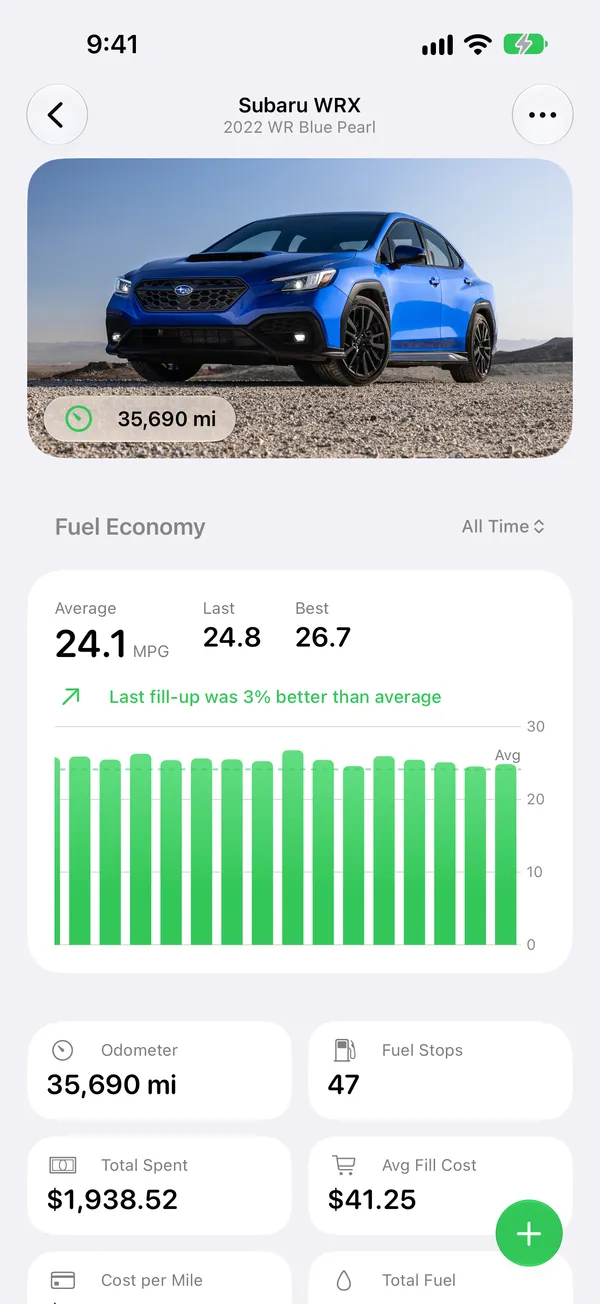
Average, last and best economy, and how your last tank compares. A chart of every fill-up, and of what fuel has cost you.
A logbook for every fill-up.
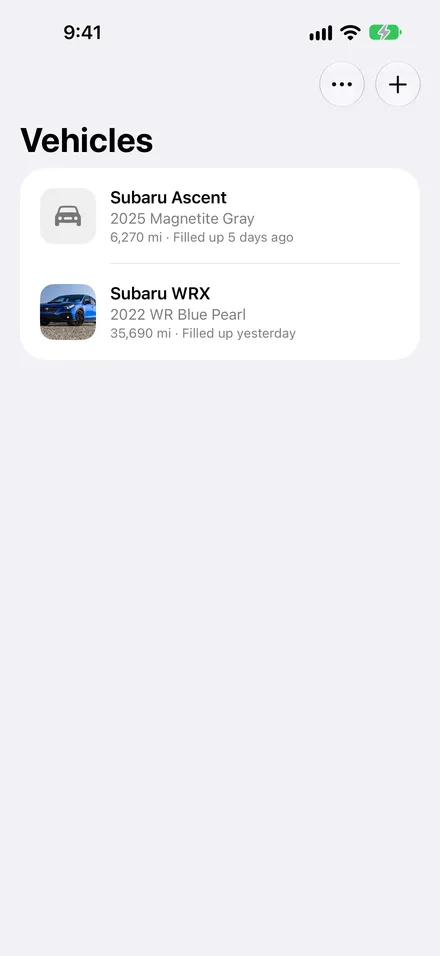
Enter the odometer and what you paid. Fillups works out your fuel economy, your cost per mile, and how every tank compares with the ones before it.
Free to start
One vehicle, unlimited fuel stops, every statistic and chart, iCloud sync, backups, reminders and Siri. No time limit, no ads, and no account to make. Plus is for extra cars and conveniences, not for getting your own numbers back.
Average, last and best economy, and how your last tank compares. A chart of every fill-up, and of what fuel has cost you.
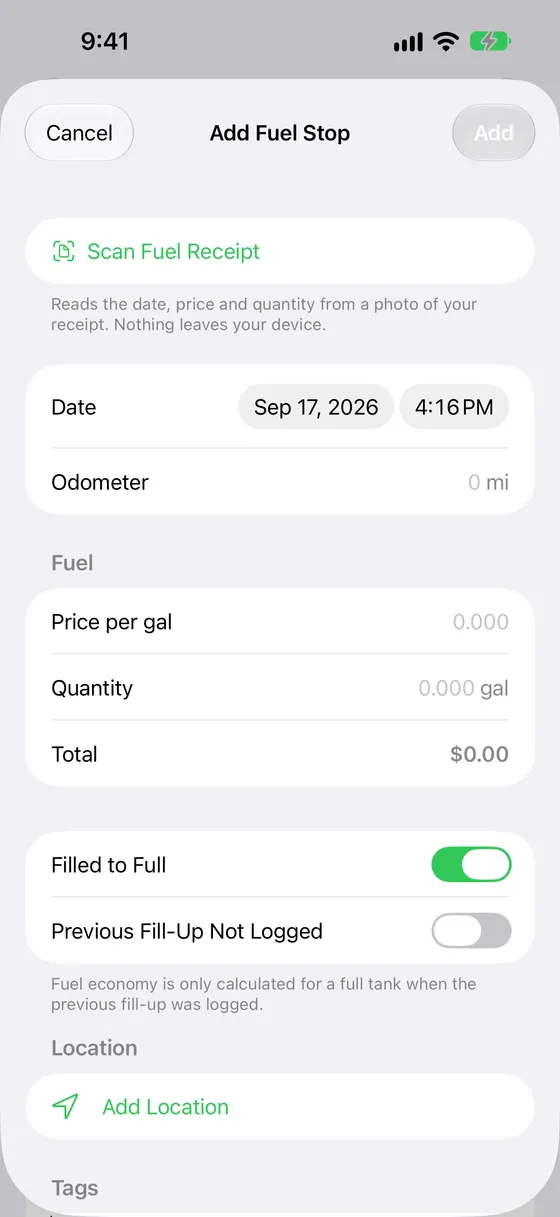
Right at the pump. Pick the station from the ones nearby, and the total works itself out from the price and the quantity.
Syncs through your own iCloud account to all your devices, with no account to make. Back up any vehicle to a file whenever you like.
What it does
A fill-up is two numbers: the odometer and what you paid. Everything else on this page is what Fillups works out from them.
Fuel economy
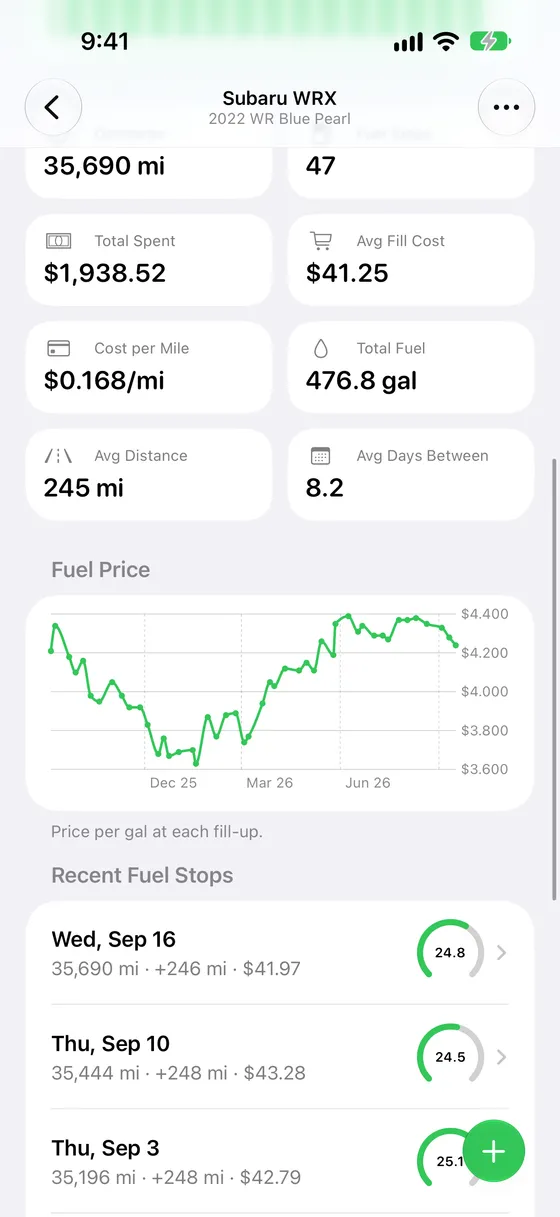
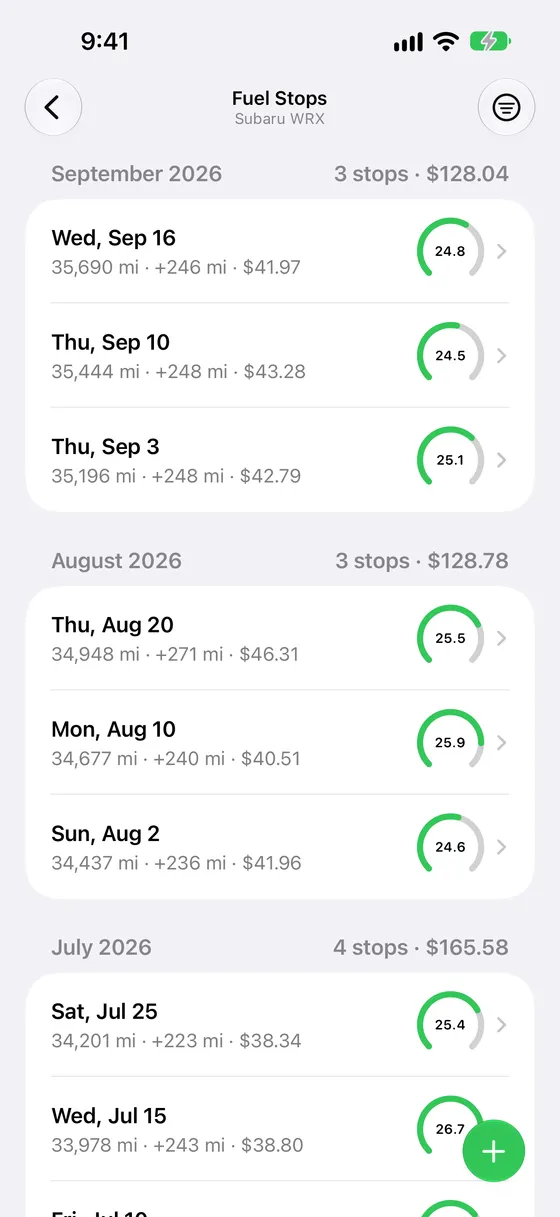
Average, last and best economy, with a sentence telling you how the last tank compared with the rest. A bar chart of every fill-up’s economy, a line chart of what fuel has cost you, and a gauge on every stop that ranks it against the vehicle’s own history.
Stat tiles for the odometer, fuel stops, total spent, average fill cost, cost per mile, total fuel, and the average distance and days between stops. Look at all time, this year, the last year, or the last 12 months.
Every stop
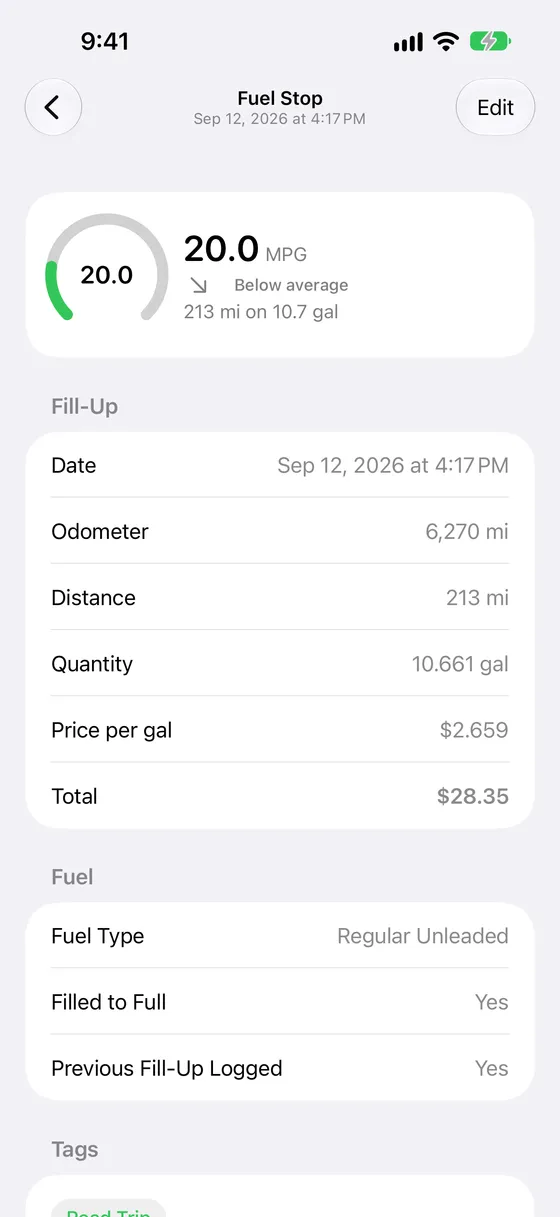
The figures for the tank, a small map of where you filled up, tags, and free-form notes. Eleven fuel grades, and any single stop can use a different grade, unit or currency from the vehicle’s own defaults.
Two switches keep the numbers honest. Filled to Full adds a partial fill to the next full tank rather than measuring it by itself, and Previous Fill-Up Not Logged leaves a stretch with a missing entry out of the figures altogether.
At the pump
Date, odometer, price per unit, quantity and grade. The total works itself out from the price and the quantity, so there is one less number to type with a nozzle in your other hand.
Pick the station from the ones nearby, or search by name or address. It uses Apple Maps, and works without location permission by searching instead.
Your history
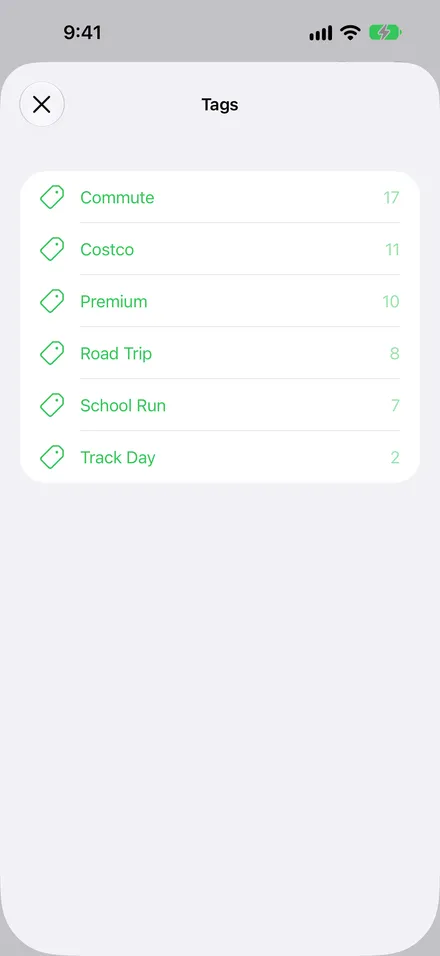
Search by station, address, tag or note. Tag stops, like a road trip or a tow or the school run, and filter the list by tag. A filtered list totals just the matching stops, which is how you answer what that road trip actually cost.
On your iPhone and iPad
A Log Fill-Up button for Control Center, the Lock Screen or the Action button, that opens the app straight onto a new stop. Free.
“Log a fill-up in Fillups” opens a new stop. “What’s my fuel economy in Fillups” and Siri answers with your average and your last fill-up. Free.
A morning notification when a vehicle is about due, going by how often it usually gets a fill-up. It takes three stops to learn the habit, and stops nagging about a car that has clearly been parked. Free.
Fuel economy and your last fill-up on the Home Screen and the Lock Screen, each pointed at whichever vehicle you like. Part of Plus.
VoiceOver and Dynamic Type up to the largest accessibility sizes, with the charts and gauges described in words rather than by color alone. The accessibility checks run as part of the test suite.
System fonts, rounded cards and the system green, in both appearances and in either orientation, including a narrow window alongside something else.
Units and regions
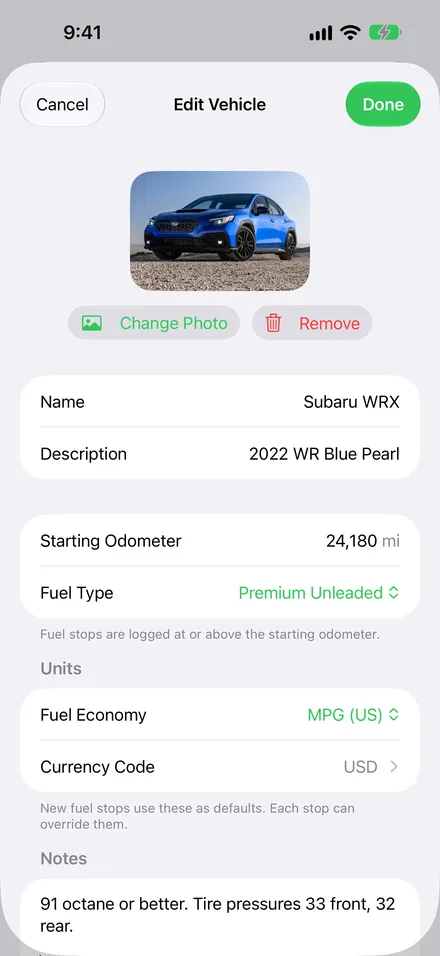
A new vehicle starts with the units and currency of your region, and you can change any of them. Four fuel economy ratings, either distance unit, either volume unit, and any currency.
Privacy
There is no account, no sign-up and no Fillups server. Your vehicles, stops, receipts, photos and locations stay on your device and in your own iCloud, which I cannot read.
Nothing watches what you do in the app, and nothing is sold or shared for advertising.
Apple’s on-device text recognition reads the receipt. Neither the photo nor the text it reads is uploaded anywhere.
Location is asked for only while the app is in use, only to record where you filled up, and the app works perfectly well without it.
Through the App Store, the same way every other app on your phone does it.
The one thing collected is crash and error reports, through Sentry, so bugs can be fixed. They carry no IP address, no user identifier, no screenshots and no vehicle names, and they are not linked to you.
Back up any vehicle to a file, free, and take a CSV spreadsheet out with Plus. Nothing holds your history hostage.
Fillups Plus
For households with more than one car, for people who share a car, and for people who would rather photograph a receipt than type it.
Every car in the household, each with its own log.
One vehicle of your own is free. A vehicle someone shares with you never counts against that.
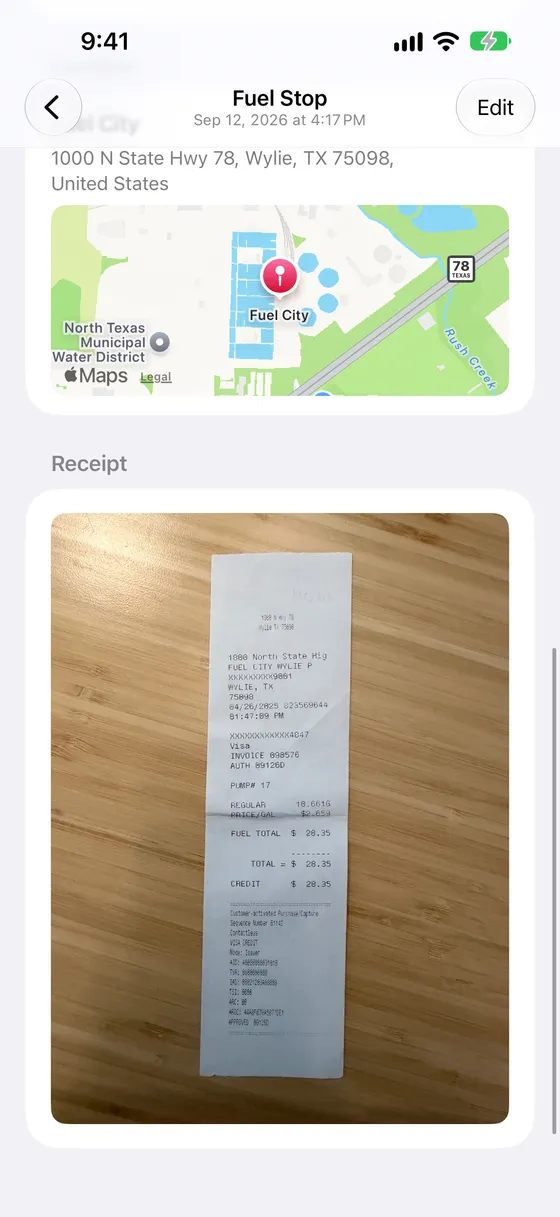
Photograph a receipt and let Fillups fill in the stop, then keep the photo with it.
Requires Apple Intelligence. It reads the date, price, quantity, total, grade and the station’s address, highlights anything it is unsure of so you can check it, and leaves the odometer to you. That is never on a receipt.
Log fill-ups together with anyone who drives the same car.
Through iCloud, read-write or read-only. The other person needs an Apple Account, but not Plus.
Fuel economy and your last fill-up on the Home Screen and the Lock Screen.
Vehicle Summary in small, medium and large; Fuel Economy for the Lock Screen in circular, rectangular and inline. Each can be pointed at a particular vehicle.
Bring your history from another app, and take a spreadsheet out whenever you like.
Import maps the columns by hand, with a choice of date format and decimal separator and a preview of every row before anything is saved. Export writes nineteen columns.
Receipt scanning
Photograph the receipt and Fillups fills in the stop from it, then keeps the photo alongside. It reads the date, price, quantity, total, grade and the station’s address.
Requires Apple Intelligence. Anything it is unsure of is highlighted so you can check it before saving, and the odometer is still yours to type. That is never printed on a receipt.
| Feature | Free | Plus |
|---|---|---|
| Vehicles of your own | 1 | Unlimited |
| Fuel stops | Unlimited | Unlimited |
| Economy, costs, charts, periods | Yes | Yes |
| Nearby stations, tags, search, notes | Yes | Yes |
| iCloud sync across your devices | Yes | Yes |
| Open a vehicle shared with you | Yes | Yes |
| Back up a vehicle to a file | Yes | Yes |
| Fill-up reminders | Yes | Yes |
| Siri, Shortcuts, Control Center button | Yes | Yes |
| Share a vehicle with someone | No | Yes |
| Receipt scanning and receipt photos | No | Yes |
| Home Screen and Lock Screen widgets | No | Yes |
| CSV import and export | No | Yes |
If Plus lapses, nothing is deleted. Extra vehicles, receipt photos and shared vehicles stay exactly where they are; only adding more is locked, and the widgets show a locked state.
Pricing
All three unlock exactly the same five features, and all three work with Family Sharing. Everything described above this section is free.
$14.99per year
The whole of Fillups Plus, billed once a year. The option most people want.
One month free for new subscribers
$1.99per month
The same five features, billed monthly. No trial, and you can cancel whenever you like.
$34.99one-time purchase
Prefer to pay once? A one-time purchase, not a subscription, and nothing recurring.
Nothing is deleted. Extra vehicles, receipt photos and shared vehicles stay exactly where they are. You cannot add more, and the widgets show a locked state, until you subscribe again.
Prices in US dollars; local pricing varies by country. Subscriptions renew until canceled and are managed in the App Store. Restore Purchases is in Settings and on the paywall.
Questions
Yes. One vehicle, unlimited fuel stops, all the statistics and charts, iCloud sync, backups, reminders and Siri are free, with no time limit and no ads.
No. Sync uses the iCloud account already on your device. There is no Fillups account to make and no server of mine for your log to sit on.
Full tank to full tank: the distance driven since the last full tank, divided by all the fuel added since then. A partial fill is counted toward the next full tank rather than measured by itself, and a stretch with a fill-up you didn’t log is left out, so neither skews the numbers.
Yes: miles or kilometers, US gallons or liters, MPG, UK MPG, km/L or L/100 km, and any currency, even a different one for a single stop, which is what makes a road trip across a border work. The app itself is in English only for now.
Receipt scanning needs a device with Apple Intelligence turned on. Everything else works on any iPhone or iPad running iOS 26.
Yes, with Plus. Share a vehicle through iCloud and you both log to the same history; you can also share it read-only. The person you share with doesn’t need Plus.
With Plus, from any CSV: you match the columns in your file to fields in Fillups, choose the date format, and preview every row before it is saved.
Back up any vehicle to a .fillups file for free, or export a CSV spreadsheet with Plus. The backup file is the one that holds everything: the vehicle, every stop, tags, locations and photos. It restores as a new vehicle, so nothing already in the app is changed.
Nothing is deleted. Extra vehicles, receipt photos and shared vehicles stay. You can’t add more, and the widgets lock, until you subscribe again.
No. Fillups 2 is a new app, written from scratch, and it is now free to download rather than paid up front. The earlier purchase doesn’t carry over to Plus.
Not yet.